
Skip to the content
  • English
    • Français
    • Português
    • Español
    • Deutsch
  • English
    • Français
    • Português
    • Español
    • Deutsch

Getting started

  • Login
  • Personal informations
  • General Features
  • Lexicon

Vehicles & users

  • Attach a vehicle to a groupe
  • Create/edit/delete a vehicle
  • List of vehicles
  • Assign a vehicle to a driver
  • User accounts
  • User management
  • User rights
  • Create/ Edit/ Delete

Dashboard

  • Global data
  • Fillings
  • Classification of vehicles
  • Use of vehicles
  • Average consumption
  • Events and Notifications

Consumptions and reports

  • Real-time analysis
  • Daily/weekly analysis
  • TCA – Analysis
  • Download a report
  • Define a consumption target
  • Fuel price setting

Fill management

  • Tank filling procedure
  • Detection of internal diversions
  • Fuel ticket encoding
  • Fill management

Installation and maintenance

  • Battery replacement procedure
  • Using maintenance mode
  • Activation/deactivation
  • Installation

Real-time analysis

Table of contents
  • Follow the evolution of a vehicle's fuel
  • Track positions and manage filling rounds

All the data reported by the vehicles is in real time, which allows certain analyzes to be carried out instantly.

Follow the evolution of a vehicle’s fuel

It is possible to display the evolution curve of the fuel levels of a vehicle from two places:

  • By clicking on the vehicle name from anywhere on the platform, then displaying the fuel tab
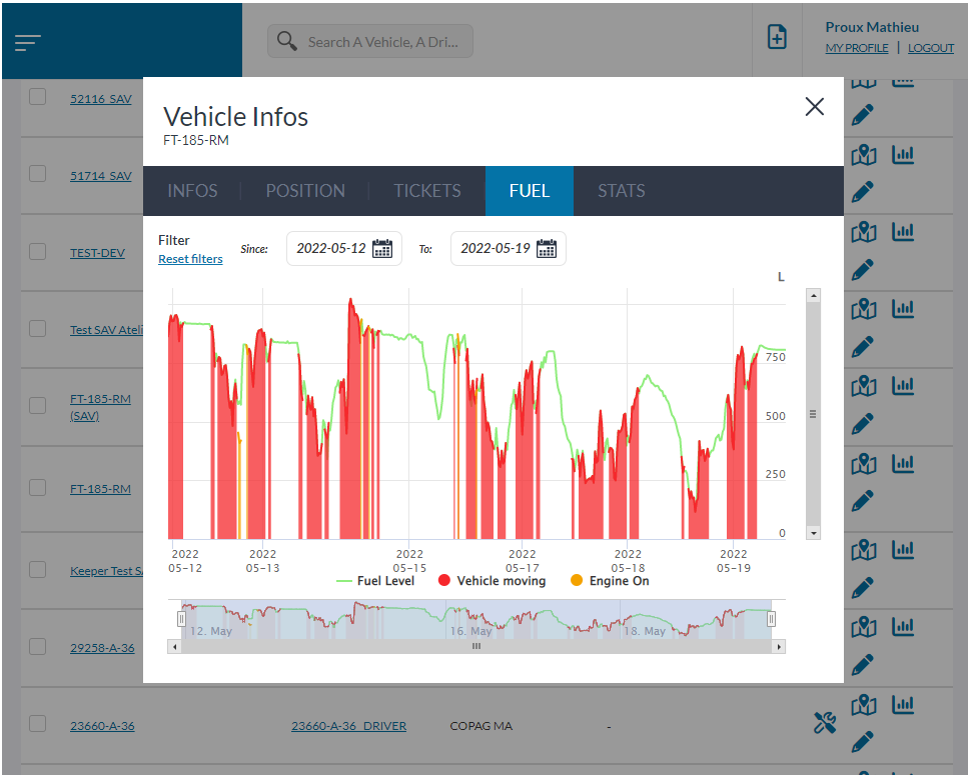
  • By clicking on the “curve” icon from the individual vehicle statistics screen

The data is aggregated and represented by a point every 15min, this means that each point corresponds to the average of the events (engine state, movement, fuel).
It is possible to display/hide the various information visible on the graph, namely:

  • fuel level
  • engine states
  • the state of the vehicle (in motion)

Track positions and manage filling rounds

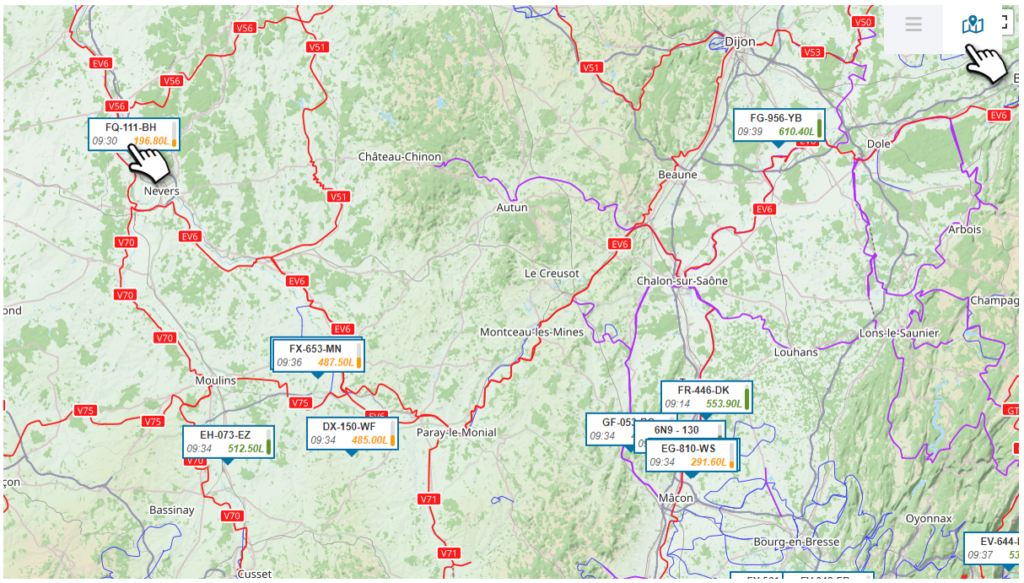
From the map view of the list of vehicles, it is possible to identify the last positions and the last fuel levels of each of your vehicles/machines. A filter is also applicable in order to work on specific groups.
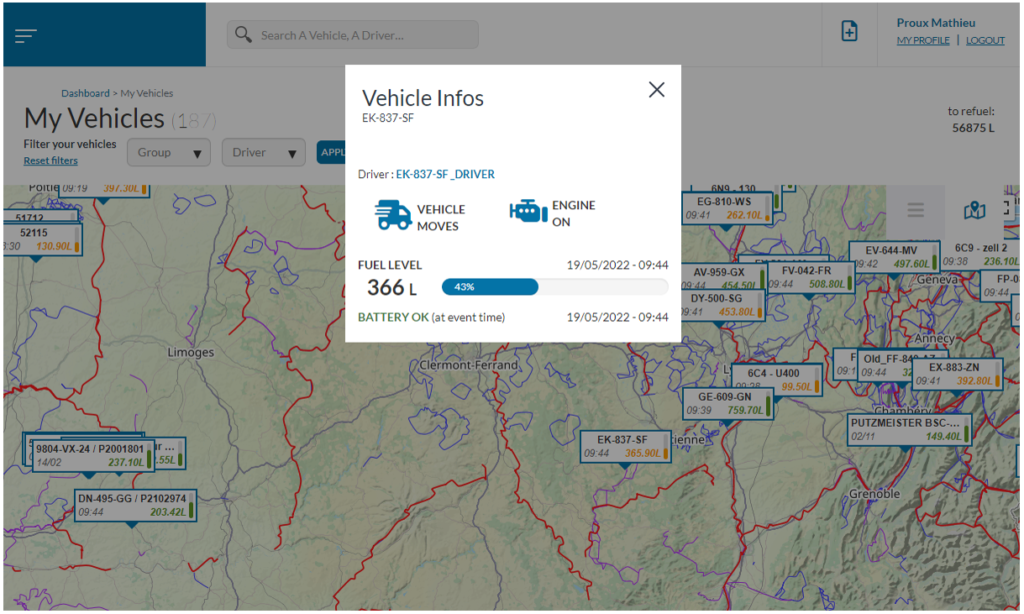
When you click on the vehicle, real-time information is displayed:
Driver name (if associated), engine status, moving vehicle, fuel level, battery status
Was this article useful?
Updated on 24 May 2022
Daily/weekly analysis

Powered by BetterDocs

Table of contents
  • Follow the evolution of a vehicle's fuel
  • Track positions and manage filling rounds

© 2026

Powered by WordPress

To the top ↑ Up ↑