
Skip to the content
  • English
    • Français
    • Português
    • Español
    • Deutsch
  • English
    • Français
    • Português
    • Español
    • Deutsch

Getting started

  • Login
  • Personal informations
  • General Features
  • Lexicon

Vehicles & users

  • Attach a vehicle to a groupe
  • Create/edit/delete a vehicle
  • List of vehicles
  • Assign a vehicle to a driver
  • User accounts
  • User management
  • User rights
  • Create/ Edit/ Delete

Dashboard

  • Global data
  • Fillings
  • Classification of vehicles
  • Use of vehicles
  • Average consumption
  • Events and Notifications

Consumptions and reports

  • Real-time analysis
  • Daily/weekly analysis
  • TCA – Analysis
  • Download a report
  • Define a consumption target
  • Fuel price setting

Fill management

  • Tank filling procedure
  • Detection of internal diversions
  • Fuel ticket encoding
  • Fill management

Installation and maintenance

  • Battery replacement procedure
  • Using maintenance mode
  • Activation/deactivation
  • Installation

Activation/deactivation

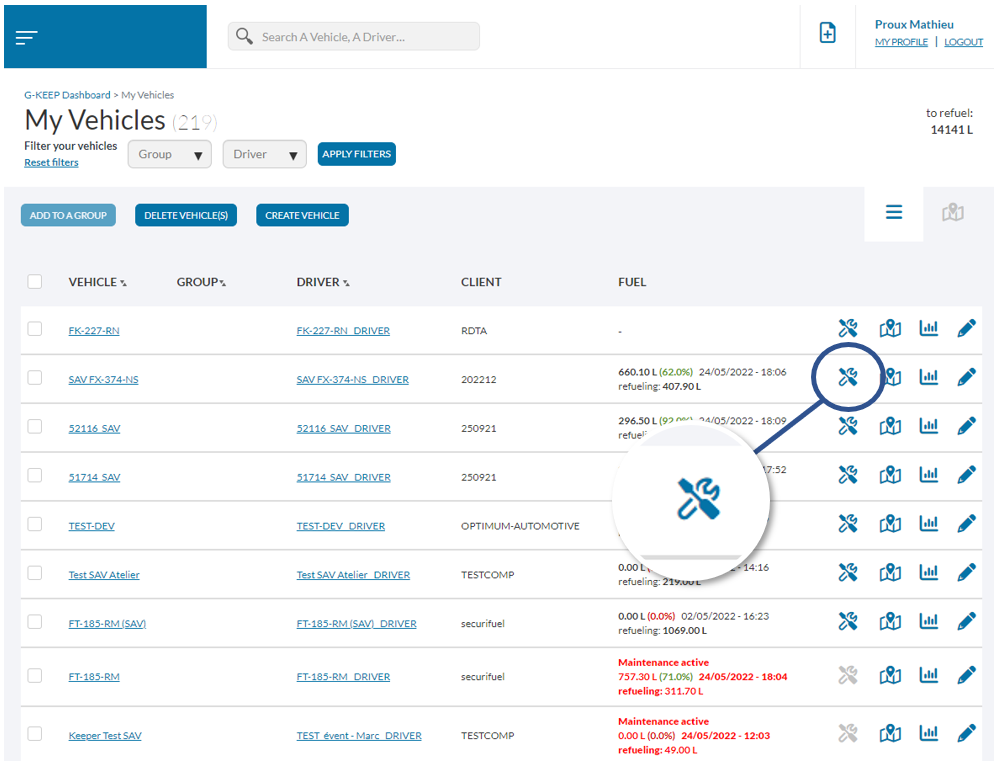
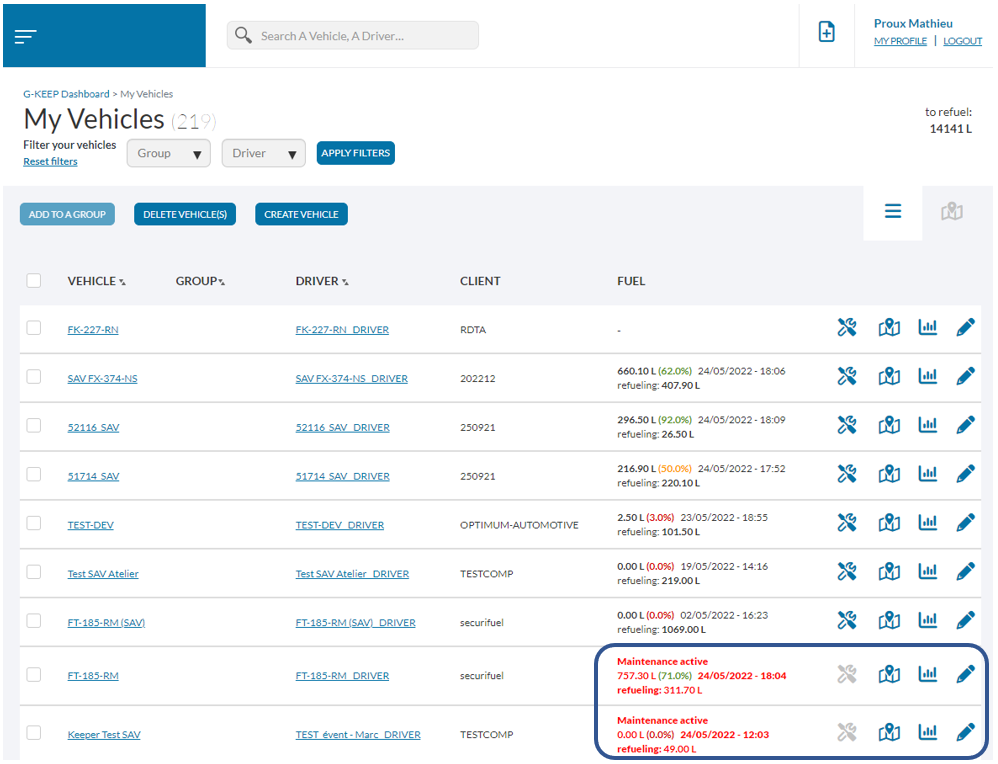
The maintenance mode is accessible according to the user role ( see user roles and rights ). It can be accessed and activated from the list of vehicles using the specific icon, changing state depending on the status:
To activate, click on the blue key
The status changes, to deactivate the maintenance, click again on the red key
Was this article useful?
Updated on 24 May 2022
Using maintenance modeInstallation

Powered by BetterDocs

© 2026

Powered by WordPress

To the top ↑ Up ↑