Accessible only for administrator profiles
Creation
To create a vehicle, go to the page[Mes véhicules] from the left side menu. The list of existing vehicles appears; at the top of this list, click the button[Créer un véhicule] .
When purchasing a KEEPER device, the creation of the vehicle is systematically done by the G-KEEP support teams.
Editing
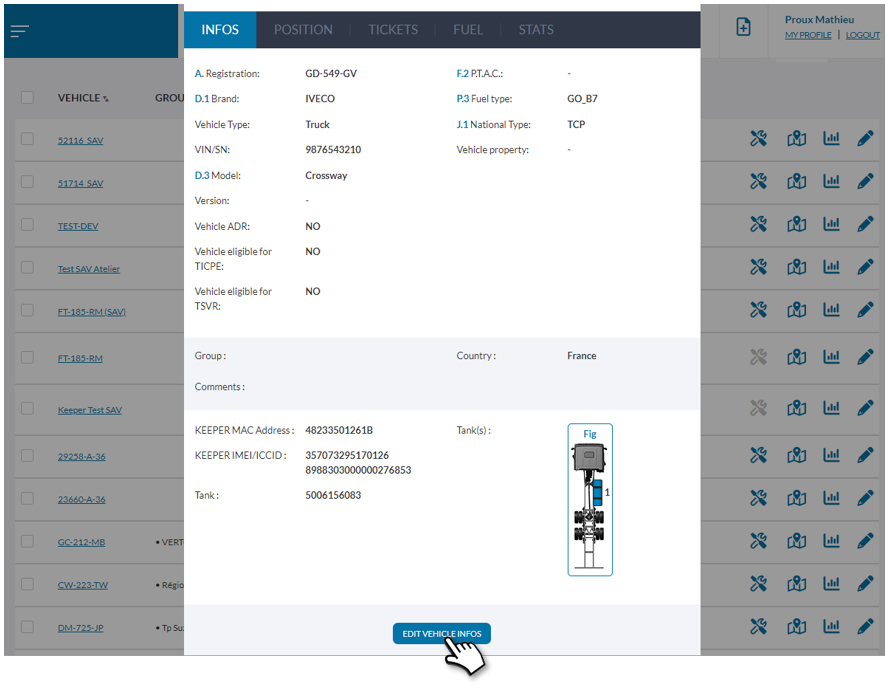
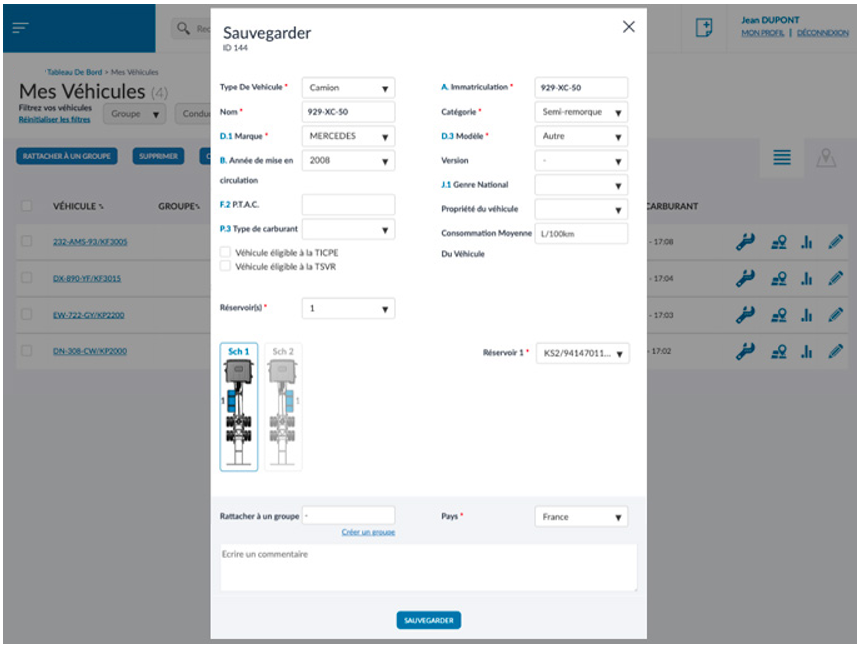
If you wish to modify certain information concerning the vehicle, such as a change in registration, for example, all you have to do is open the information window and then click on the edit button at the bottom of it.
Deletion
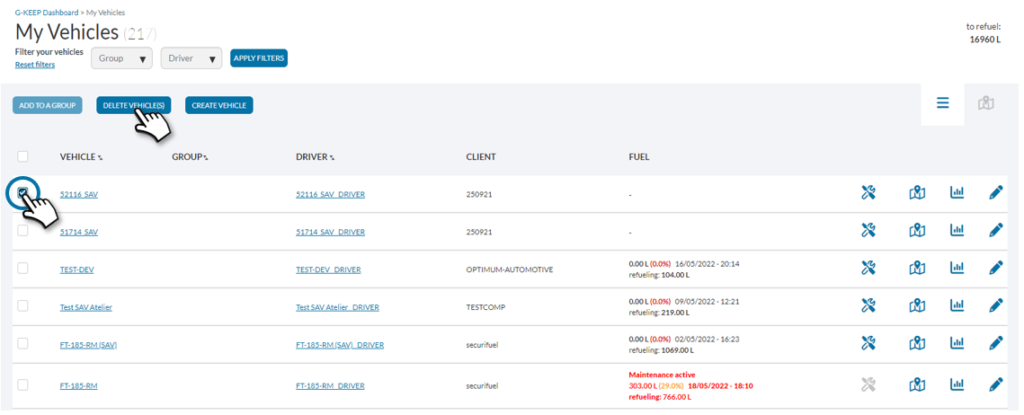
Deleting a vehicle is possible by selecting the checkbox to the left of the vehicle name, then clicking the delete button at the top of the page.
Please note that deleting a vehicle will result in the total loss of data concerning it.